Get TTD Darshan Quickfill

Now live on the Chrome Web Store. Saving your details is free. You'll only need a pass when you use Quick Paste on TTD's forms.

Add to Chrome, it's free to save your details

✓ Trusted by 1000+ devotees✓ Details never leave your device✓ Works on all TTD quotas

📱 You are on a phone. Quick Paste works in Chrome or Edge on a laptop or desktop. Send yourself the install link and open it on your computer before booking day.
  1. Click the button above to open the Chrome Web Store listing, then click "Add to Chrome."
  2. Done. You'll see "TTD Darshan Quickfill" appear in your extensions list, and its icon in your browser toolbar.
  3. Click the extension icon to open it, and start saving your devotee details under the Pilgrim Booking tab. Saving is always free.
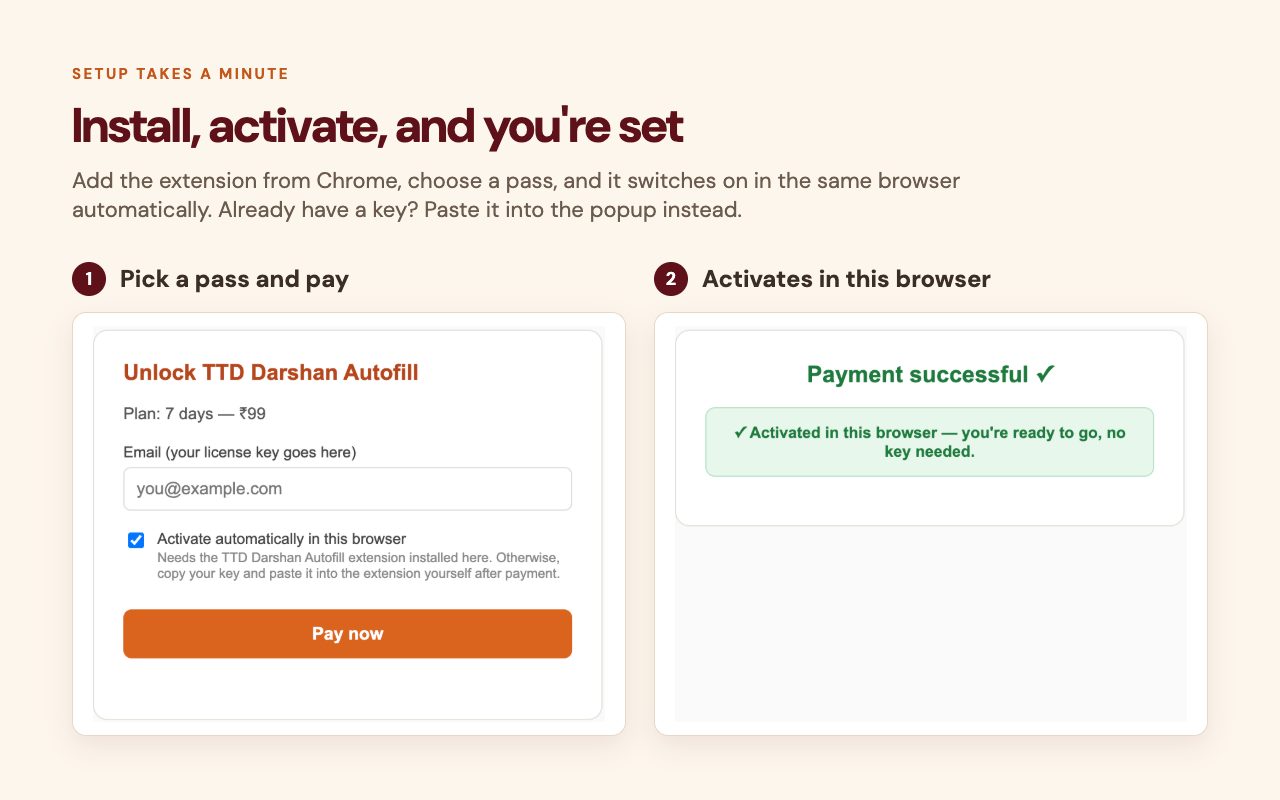
Pick a pass, pay, and the extension activates in the same browser

Watch: how Quick Paste works

Read the step-by-step Quick Paste guide →

Watch: Quick Paste and Type Assist, side by side

On pages like Srivani, TTD doesn't allow paste. The panel switches to Type Assist by itself: it shows each detail clearly and checks it as you type. Try it on the practice form →

When you're ready to use Quick Paste on a TTD form, you'll need an active pass. See pricing for the options. Entering and saving details never requires a pass; only Quick Paste does. Try Quick Paste free on the practice form first. All pass purchases are final, see our Terms Refund Policy.

TTD Darshan Quickfill is an independent browser extension and is not affiliated with, endorsed by, or operated by Tirumala Tirupati Devasthanams (TTD).